
Start it the first time
Double-click the launcher for Windows or macOS. What the first run sets up, how long it takes, and what you see when it is ready.
The first start takes about three minutes, because the launcher downloads and sets up what the converter needs. Every start after that takes a second or two.
On Windows
- Open the folder and double-click
start.bat. - A black window opens and draws the name MeshOptimiser out of a wire mesh, with the version under it. This is the launcher. Leave it open.
- It works through a few steps, and each has a small bar that runs while it works. The first finds Python and shows the version it found, for example
Python 3.12.10. - The next creates the folder
.venvinsideapp(about 30 seconds) and installs the add-ons (one to three minutes). You need an internet connection for this step. - The last starts the small server that the app runs on, and prints its address, normally
http://localhost:4242. - The app opens in a window of its own and shows the start screen.
On macOS
- Open the folder and double-click
start.command. - If macOS refuses with “Operation not permitted”, right-click
start.commandand choose “Open”. macOS blocks a double-click on a freshly unzipped script the first time. - A Terminal window opens. It creates the folder
.venvinsideapp, installs the add-ons, and printsStarting server.... - The app opens and shows the start screen.
What you see
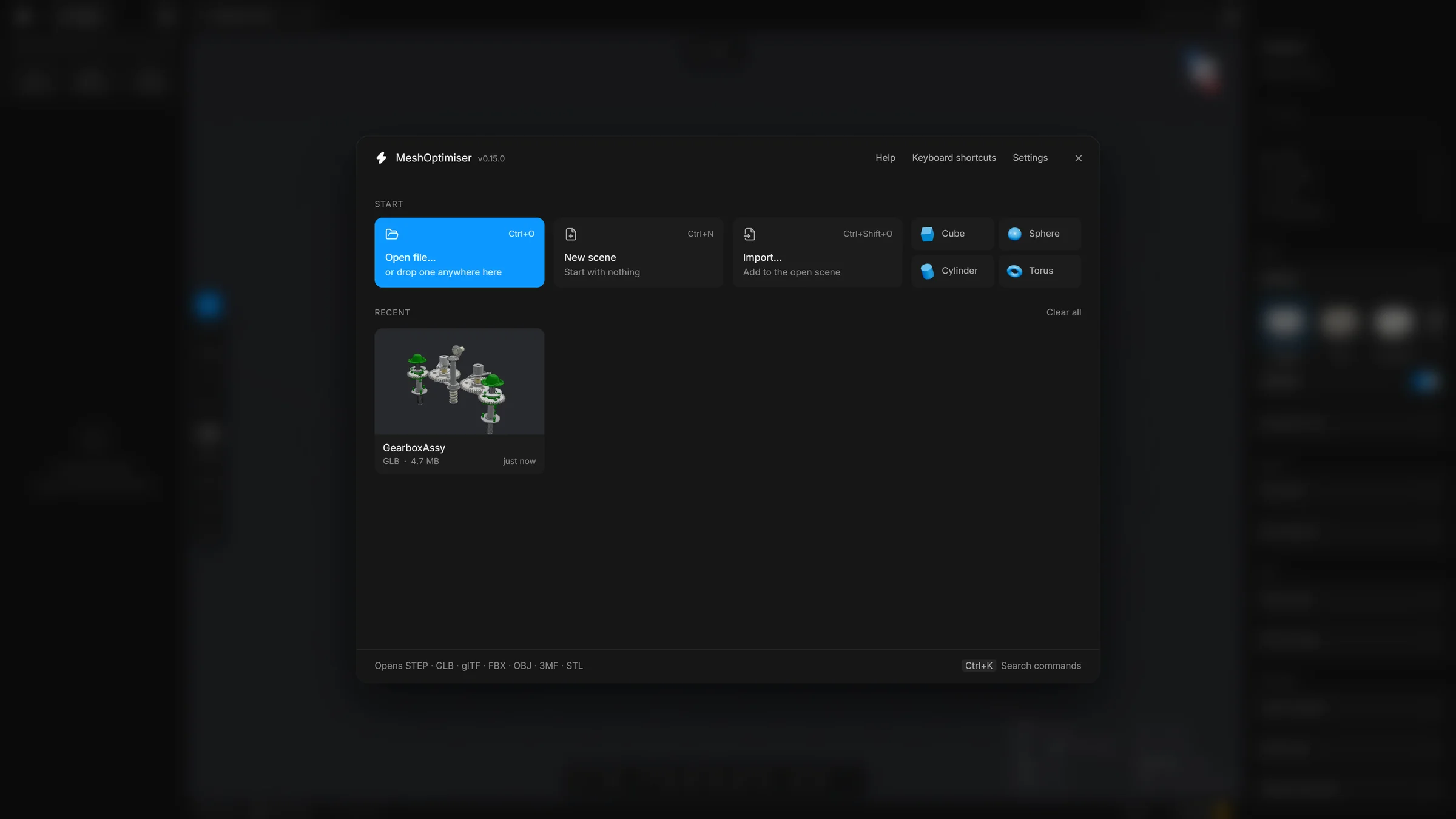
The start screen has a search box for recent files at the top and a row of three tiles: New scene to start with an empty scene, Open file… (or drop a file anywhere on the screen) and Import… to add a file to the scene that is already open. Under them is the list of recent files, with a Clear all button. The list is empty the first time. Help is on F1, the keyboard shortcuts on ? and Settings on Ctrl,.
Good to know
- The launcher window is the server. If you close it, the app stops working. Keep it open while you work and see Stop, restart and update for the tidy way to quit.
- The app opens in a window with no address bar and no browser tabs when Chrome, Edge or Brave is installed. Without one of those, it opens as a tab in your usual browser. Both work the same.
- The address is normally
http://localhost:4242. If something else on your computer already uses that number, the launcher tries another one and prints the address it chose. - It uses your usual browser profile, so your settings and recent files are remembered between starts.
Start with a file
On Windows you can drag a .step or .glb file onto start.bat instead of double-clicking it. The app starts and opens that file. For a STEP file the launcher window first asks a few questions, such as the tessellation quality. Press Enter at each question to accept the suggested answer.